 Origins TCG
For creators
Make Origins TCG content with OriginsMeta
Free tools for streamers and video makers: your deck on stream, the !deck command in chat, the Twitch extension, the tournament overlay and a media kit to show where your data comes from.
- A step-by-step guide for every tool: a few minutes each
- Everything is free, with a free OriginsMeta account
- The Creator role adds your showcase page, the LIVE badge and no deck limit
Opens a message to the staff, already written: add your channels and send it.
What OriginsMeta gives you
Some things are for everyone with a free account, others come with the Creator role, which the staff assigns.
- Creator
Your showcase page
Cover, accent colour, tagline, favourite Legendary, featured deck and video, and your stream schedule, shown in each visitor's time zone.
- Creator
LIVE badge and “Live now”
When you stream Origins TCG on Twitch, a LIVE badge appears next to your name across the site, and your stream shows up in “Live now” and on the live page.
- Creator
In the creators directory
Your profile among the site's creators, with your channels and the languages of your content.
- Creator
No deck limit and your own art
Publish as many decks as you want (community accounts stop at 5) and put your own artwork on your decks.
- Creator
Tournaments on the calendar
Your public tournaments go on the site's calendar, with your own cover.
- Creator
Guides and comics
Publish your guides and comics on the site yourself, with your name on them.
- Creator
Followers
Players follow you and get notified when you publish a deck or a guide and when you go live.
Your decks in front of players
Every deck you publish goes to our Discord, and you see its visits, copied codes and video plays.
Tools and step-by-step guides
Pick a tool and follow the steps in order. Every guide says what you need, how to tell it worked and what to do if it doesn't.
- Windows appOriginsMeta TrackerIt records your matches by itself and shows your deck live next to the game, with the copies left and the opponent's cards. It also gives you sources for OBS.Guide · 5 minutes ↓
- TwitchTwitch extension “OriginsMeta Deck tracker”Your viewers open your deck over the video and hover the cards to read them, live: copies left, round, the opponent's Legendary and the cards they reveal.Guide · 5 minutes ↓
- OBS · no appDeck overlay for OBSYour published deck on stream with a transparent background. It always shows your latest deck: publish a new one and the overlay switches within a minute.Guide · 2 minutes ↓
- Twitch chatThe !deck command in chatViewers type !deck and the bot answers with your deck's name, its Legendary, the short link and the game code to paste in Origins TCG.Guide · 1 minute ↓
- Videos · socialsShort links and deck imagesLinks that are easy to say on stream and open in the viewer's language, and a ready-made image of your deck for thumbnails and shorts.Guide · 1 minute ↓
- OBS · castsBroadcasting OM, the tournament overlayFor casting a match: player names, series score, Deck 1-2-3, decklists with the copies left, a “Copy deck” button for viewers and a sponsor slot that takes turns with the score.Guide · 10 minutes ↓
- TournamentsTournament OrganizerRun a tournament for your community: sign-ups, decklists, automatic bracket, match rooms with chat and a short link to share. With the Creator role it goes on the site's calendar.Guide · 5 minutes ↓
OriginsMeta Tracker
Windows app · Time: 5 minutes
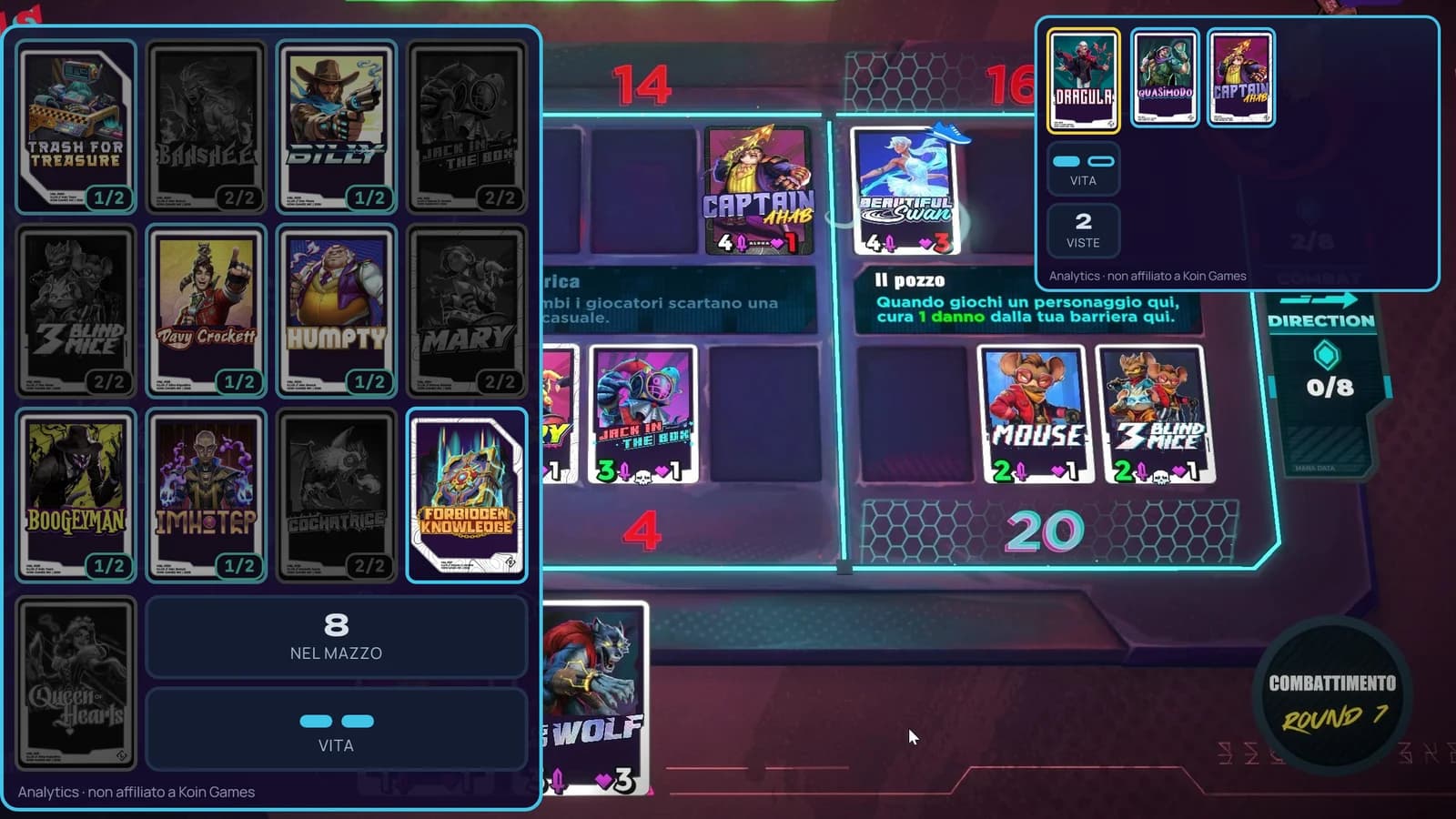
It records your matches by itself and shows your deck live next to the game, with the copies left and the opponent's cards. It also gives you sources for OBS.
You need: A Windows 10 or 11 PC, Origins TCG from Steam and a free OriginsMeta account.
Sign in to OriginsMeta with Discord or your email (no password).
Open the Tracker page and press “Download OriginsMeta Tracker”. A .zip file lands in your Downloads folder.
Right-click the zip, then “Extract All…” and “Extract”. Open the new folder, then “OriginsMeta Tracker-win32-x64”, and double-click “OriginsMeta Tracker.exe”.
Windows shows a blue “Windows protected your PC” box? Click “More info”, then “Run anyway”. It's normal: the app isn't digitally signed yet.
The app asks for a link code. Open the Tracker page of your account, press “Create a code”, type the code in the app and press “Link”.
For OBS: in the app press “Setup”. Next to “Source for OBS” press “Copy”. In OBS: Sources → + → Browser → OK, paste the address in URL and press OK. “Deck tracker for OBS” and “Opponent's cards for OBS” work the same way.
✓ It worked if
You play a match and a few seconds after the end it shows up in the app; in OBS the deck tracker updates by itself during the match.
? If it doesn't work
- Blank source in OBS? The app has to be open on the same PC as OBS.
- No panels over the game? Play in windowed or borderless mode: exclusive fullscreen hides them.
- Stuck on a step? The full guide, with pictures, is on the Tracker page.
Twitch extension “OriginsMeta Deck tracker”
Twitch · Time: 5 minutes
Your viewers open your deck over the video and hover the cards to read them, live: copies left, round, the opponent's Legendary and the cards they reveal.
You need: OriginsMeta Tracker installed and linked (the guide above) and your Twitch channel.
Open the extension on Twitch and press “Install”. You can also find it by searching “OriginsMeta Deck tracker” in Creator Dashboard → Extensions.
In Creator Dashboard → Extensions → My Extensions, press “Activate” on OriginsMeta Deck tracker and choose “Set as Overlay 1”.
Press the gear icon of the extension to open its configuration. Keep that page open.
In another tab open the Tracker page of your account and, in the “Twitch extension” box, press “Create a code for Twitch”.
Back on Twitch, type the code and press “Link”. Then choose how viewers see the deck: “Like the app” (the same panels as the Tracker) or “Tab” (a small tab they open when they want).
Go live and play with OriginsMeta Tracker open.
✓ It worked if
Viewers move the mouse over your video and see your deck, which updates by itself during the match.
? If it doesn't work
- Nothing over the video? Deactivate the extension and activate it again as Overlay 1.
- Code expired? It lasts 10 minutes and works once: create a new one.
- The deck doesn't move? The Tracker has to be open, linked, with the screen scanner on.
- With “Like the app”, hide the Tracker panels from your OBS scene, or viewers see them twice.
Deck overlay for OBS
OBS · no app · Time: 2 minutes
Your published deck on stream with a transparent background. It always shows your latest deck: publish a new one and the overlay switches within a minute.
You need: OBS or Streamlabs, and a deck published on OriginsMeta.
Publish your deck from the Deck builder with “Publish on the site”.
Copy this address:
https://originsmeta.com/overlay/deck?u=YOUR-USERNAME&layout=vertical&lang=enIn OBS: Sources → + → Browser → OK. Paste the address in URL.
Set Width to 360 and Height to 1000, then press OK.
Prefer a horizontal strip? Use this address with Width 1600 and Height 300:
https://originsmeta.com/overlay/deck?u=YOUR-USERNAME&layout=horizontal&lang=en
✓ It worked if
Your deck appears on the OBS canvas, with no background around it.
? If it doesn't work
- The overlay says you have no public decks? Check the username (the one in your profile address) and that the deck is published, not saved as private.
- Want one specific deck instead of the latest? On the deck's page open the “For streamers” menu: its overlay address is there.
The !deck command in chat
Twitch chat · Time: 1 minute
Viewers type !deck and the bot answers with your deck's name, its Legendary, the short link and the game code to paste in Origins TCG.
You need: Nightbot, StreamElements or Fossabot on your channel, and a deck published on OriginsMeta.
Copy the line for your bot:
Nightbot!commands add !deck $(urlfetch https://originsmeta.com/api/chat/deck?u=YOUR-USERNAME&lang=en)StreamElements!command add !deck ${customapi.https://originsmeta.com/api/chat/deck?u=YOUR-USERNAME&lang=en}Fossabot$(customapi https://originsmeta.com/api/chat/deck?u=YOUR-USERNAME&lang=en)Nightbot or StreamElements: paste the line in your Twitch chat and send it, as the channel owner or a moderator. Fossabot: in its dashboard create a command called !deck and paste the line as the response.
Type !deck in chat to try it.
✓ It worked if
The bot answers with one line about your latest deck.
? If it doesn't work
- The bot says !deck already exists? Write edit instead of add.
- Wrong or old deck? The command follows your latest published deck: publish the new one and wait a minute.
Short links and deck images
Videos · socials · Time: 1 minute
Links that are easy to say on stream and open in the viewer's language, and a ready-made image of your deck for thumbnails and shorts.
You need: A deck published on OriginsMeta.
Your profile has a short link: say it on stream or put it in your descriptions.
originsmeta.com/@YOUR-USERNAMEEvery deck has one too. Open the deck's page, scroll to the “For streamers” menu and copy the short link (originsmeta.com/d/…).
In the same menu download the deck image: 16:9 (1280 × 720) for thumbnails and YouTube, 9:16 (1080 × 1920) for shorts and stories.
For video descriptions, copy one of the ready-made lines in the media kit below.
✓ It worked if
Whoever clicks lands on your deck or your profile, in their own language.
? If it doesn't work
- Can't find the “For streamers” menu? It's on every deck page, below the deck; the overlay and chat lines for one deck are only shown to its owner.
Broadcasting OM, the tournament overlay
OBS · casts · Time: 10 minutes
For casting a match: player names, series score, Deck 1-2-3, decklists with the copies left, a “Copy deck” button for viewers and a sponsor slot that takes turns with the score.
You need: OBS on a PC. For the decks: a tournament made with our Tournament Organizer, a published Tournament deck or the game codes. No account needed.
In OBS: Docks → Custom Browser Docks. Name: Control room, URL: the address below. Press Apply: the control room opens inside OBS.
https://originsmeta.com/broadcast?lang=enAdd the overlay: Sources → + → Browser, this address, Width 1920 and Height 1080. Put it above your game capture.
https://originsmeta.com/broadcast/liveIn the control room fill in the tournament (name, number, stage, Bo1, Bo3 or Bo5) and the two players.
Load the decks: the tournament tag (OM-XXXX) if you organised it on OriginsMeta, the link of a Tournament deck, or “Paste the game code (KGBLDC…)”.
During the match: + and − for the score, “Deck in play” for the deck on the table, and a click on a card in the preview list marks a copy played. When a game ends, press “Next game (reset all copies)”.
Optional sponsor: in “Sponsors” turn on “Show the sponsor space” and upload the logo (612 × 204 px) or the banner (652 × 244 px).
✓ It worked if
Every change in the control room shows up at once on the overlay in OBS.
? If it doesn't work
- The overlay doesn't update? Control room and overlay must both be in OBS (dock and source). Using the control room in a normal browser? Press “Copy the OBS link” and paste it in the source after your changes.
- Want to try it first? “Demo match” in the control room loads a sample match.
Tournament Organizer
Tournaments · Time: 5 minutes
Run a tournament for your community: sign-ups, decklists, automatic bracket, match rooms with chat and a short link to share. With the Creator role it goes on the site's calendar.
You need: A free OriginsMeta account.
Open the tournament form and fill it in: name, date, format (Conquest or free deck), Bo1, Bo3 or Bo5, number of players, public or private.
Share the short link of your tournament (originsmeta.com/t/OM-…) on Discord and in your chat.
Players sign up and submit their decks. When the tournament is full and every deck is in, the bracket starts by itself.
Each match has its room with chat and result. To cast it, load the tournament tag in Broadcasting OM.
✓ It worked if
Your tournament has its page with the bracket, and players find their match in their match room.
? If it doesn't work
- Your tournament isn't on the calendar? Only public tournaments of Creators, Pros and Staff go there; private ones never do.
- Someone didn't submit a deck? Whoever has no deck stays out of the bracket.
Ideas for your content
Data and tools you can show on stream or use for a video.
Win rates
Legendaries, decks, archetypes, cards and matchups from tracked matches, patch by patch.
Crimson Cup numbers
Ban rates, decks brought and most played cards of the official qualifiers, and the finals.
Community tier lists
Compare your tier list with the community's and with the card votes.
Draft against the Brain
A draft against our bot, perfect for a stream segment: at the end you get a playable deck code.
Theory craft
Build decks with the cards removed from the game and show what they could do.
MetaShifting
Every balance change, card by card, to explain a patch.
Media kit
Logo, symbol, badge for your stream and a panel for your Twitch channel. All made by OriginsMeta, with no Koin Games material: use them freely when you show or mention OriginsMeta.
Every file below, the badge and the panel in all 7 languages, and a README with colours and rules.
Logo
PNG · 640 × 197 px · transparent background
For your overlays, end screens and posts. The white outline makes it readable on light and dark backgrounds.

“OM.” symbol
PNG · 1024 × 1024 px
For avatars and small spaces: the same symbol as our Twitch and Discord.

“OM.” symbol, transparent
PNG · 1024 × 1024 px · transparent background
For watermarks and a corner of your videos.

Badge for your stream
PNG · 960 × 240 px · transparent background
“Decks & stats on originsmeta.com” for a corner of the stream or video. In OBS: Image source, then set it to 480 × 120.
The other 6 languages are in the zip.

Panel for your Twitch channel
PNG · 320 × 100 px · transparent background
Under your player, in About → Edit panels. Link it to originsmeta.com/@ followed by your username.
The other 6 languages are in the zip.



Colours
- Mint #31E3BDaccent, “Origins” in the logo
- Sky #3FC4E8frames and titles
- Night #150C2Cbackgrounds
- Pink #FF4DA6the dot of the symbol
- Chalk #E2E2E6text on dark
Fonts
Montserrat Black for the symbol, Unbounded for the site's titles, Manrope for its text. All free on Google Fonts.
Ready-made lines
For video descriptions, your Twitch bio or a chat message.
Decks, tier lists and stats for Origins TCG: https://originsmeta.comMy decks: https://originsmeta.com/@YOUR-USERNAMEI track my matches with OriginsMeta Tracker: https://originsmeta.com/en/trackerHow to use it
✓ Yes
- Use the files as they are, with some space around them
- Link originsmeta.com or your profile when you show the site
- If you describe us, say we're a fan site
✕ No
- Stretching, recolouring, cropping or redrawing the logo and the symbol
- Presenting OriginsMeta as official or as part of Koin Games
Become a Creator
The Creator role is assigned by the OriginsMeta staff. It takes three steps.
Add your channels
In your public profile add Twitch, YouTube, TikTok or wherever you make content, and the languages you speak.
Send the request
The button opens a message to the staff that's already written: add your channels and press “Send to the staff”.
We answer in the envelope at the top of the site, next to your avatar.
Questions
Does it cost anything?
No. Tools, Creator role and media kit are free.
Do I need the Creator role to use the tools?
No. Tracker, Twitch extension, deck overlay, !deck command, short links and Tournament Organizer work with a free account, and Broadcasting OM even without one. The role adds the showcase page, the LIVE badge, the directory, no deck limit and the calendar.
Does it work on a Mac?
OriginsMeta Tracker is Windows only, and so is the Twitch extension, which shows what the Tracker reads. Deck overlay, !deck command and Broadcasting OM work wherever OBS runs.
In which languages?
Deck overlay and !deck command speak English, Italian, Spanish, French, Portuguese, German and Russian: change lang= at the end of the address (en, it, es, fr, pt, de, ru).
Is OriginsMeta official?
No: it's a fan site, not affiliated with Koin Games. The media kit only contains OriginsMeta material.
Something doesn't work?
Write to us on Discord or from the envelope at the top of the site: tell us which tool and which step.
OriginsMeta is an unofficial fan site, not affiliated with Koin Games.